Augustus
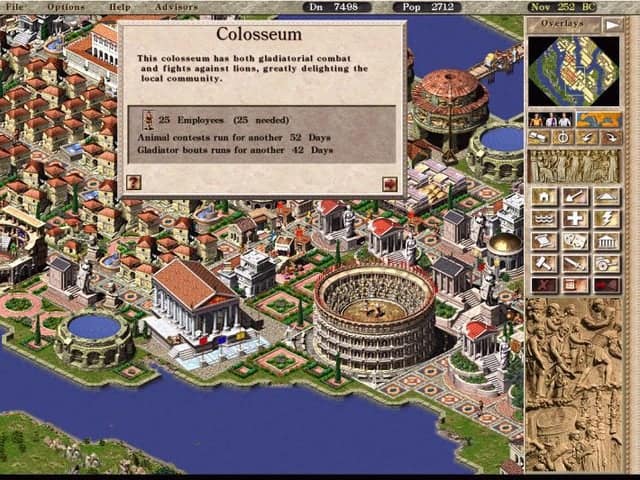
A reimplemntation of the Caeser 3 engine.
Port Details
Genres
simulation
strategy
Requirements
Downloads
7975
Last Updated
2025-10-04
Rating
None
Miscellaneous
Instructions
You will need the original files of the PC release copied to the ports/augustus/data folder.
Additional Information
Notes
You can buy a digital copy from GOG or Steam, or you can use an original CD-ROM version. Install the game files into ports/augustus/data, here are some excellent instructions from the Julius project (which Augustus is a fork of). If installing from the CD's you'll need to get the latest patches.
Thanks to Keriew for this modified version of the open source julius port from Bianca van Schaik and other contributors. Also thanks to Kloptops for the packaging for portmaster and Cebion for the controls work.
Controls
| Button | Command |
|---|---|
| A | Mouse Left |
| B | Mouse Right |
| X | Clone building under cursor |
| L1 | Nothing |
| L2 | Rotate counter clock wise |
| R1 | Slow down mouse |
| R2 | Rotate clock wise |
| L1 = Select | Decrease game speed |
| L2 = Select | Quicksave |
| R1 = Select | Increase game speed |
| R2 = Select | Quickload |
| Start | Pause |
| Select | Menu |
| D-Pad | Move screen |
| Left Analog | Mouse Movement |
| Right Analog | Move screen |
Game folder structure
Install the game files into ports/augustus/data, here are some excellent instructions from the Julius project (which Augustus is a fork of). If installing from the CD's you'll need to get the latest patches.
Building
git clone https://github.com/Keriew/augustus.git
cd augustus
wget https://raw.githubusercontent.com/kloptops/Portmaster-misc/main/Augustus/Force_Software_Cursor.diff
git apply Force_Software_Cursor.diff
mkdir build && cd build
cmake .. -DCMAKE_BUILD_TYPE=Release
make
cd ../res
zip -9r assets.zip assets/
At the end we need to copy build/augustus and res/assets.zip to the Augustus/build/ directory.